slicecut

Talk. Swipe. Post.

Cut your talking-head videos by editing text.

Yap videos, podcast clips, anything where you are the one talking. Your take becomes a transcript — swipe out the words you do not want and the cut lands exactly there. 20 minutes of editing, done in under 60 seconds.

Okay, so, um, today uh, I'll show you something — like, real quick — worth posting.

Struck words leave the video.

Free to start — 30 minutes of video included.See the plans

Free to start, 30 minutes includedCuts land exactly on the wordEvery pause gone in one tapA full cut in under 60 seconds

The old way

7 minutes to record. 20 to cut.

You sat down, talked at your phone for 7 minutes, and the good part was over. Then the timeline opens, and the same routine starts: scrub, guess, undo, scrub again. By the time the reel is clean, the idea you were excited about has gone cold — and the next 3 are still unrecorded.

  • Scrubbing

    Back and forth over the same 5 seconds, zooming in, until the cut finally sits where you meant it.

  • Missing by a frame

    One frame late and the cut clips the next word. One frame early and it swallows the last one. So you do it again.

  • Dead air

    Every pause has to be found by ear, one at a time, and dragged out by hand. There are 40 of them in a 3 minute take.

It does not have to be like this.

16 seconds

Watch a cut happen.

No timeline, no scrubbing, nothing sped up. A few struck words, one tap for the pauses, and the take is a reel. What you see here is exactly what the phone exports.

  1. 01StrikeTap the words you don’t want, or drag across a whole botched sentence. They leave the video the moment you do.
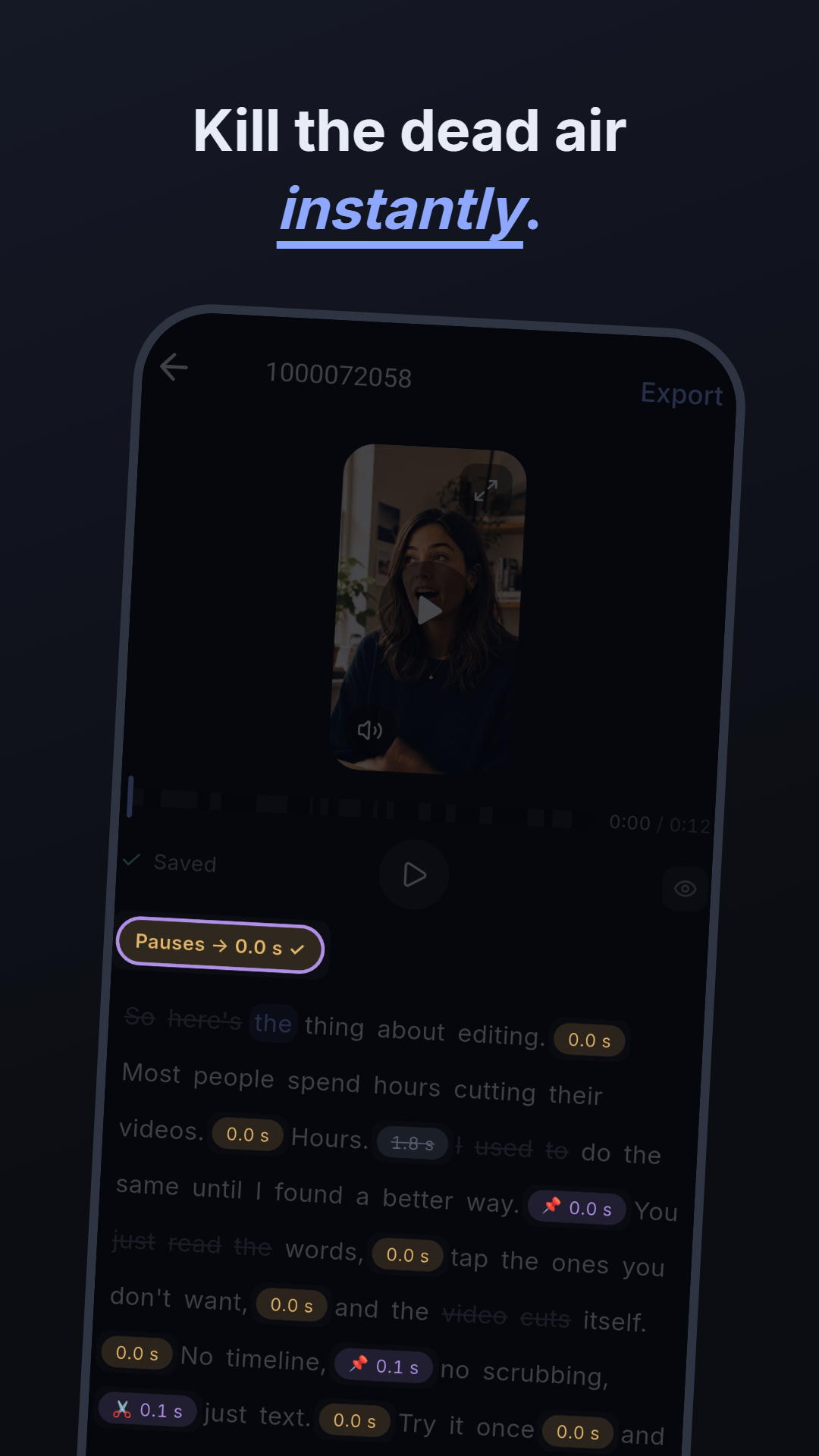
  2. 02TightenOne tap pulls every pause in the project in at once. No hunting for silence by ear.
  3. 03PostRendered on the phone at source quality, straight into your gallery. Nothing uploaded, no watermark.
The slicecut spot: a video cut by striking words out of its transcript.

How it works

Record, read, post.

No timeline anywhere in the app, and nothing is rendered until you export, so every cut you make is reversible.

  1. 01

    Drop in a take

    Pick a clip from your gallery. slicecut lifts the audio track, sends only that off to be transcribed, and hands you the words a few seconds later. Several takes can go into one project and read as a single transcript.

  2. 02

    Swipe out what you do not want

    Tap a word to strike it. Drag across a botched sentence to strike the whole line. The cut lands right before the next word, every time — no nudging, no zooming in. One tap pulls every pause in the project tight.

  3. 03

    Export and post

    Rendering runs on your phone with its own hardware codecs. Untouched stretches are copied bit for bit, so it finishes faster than real time, comes out as sharp as the source, and lands in your gallery ready for Reels, Shorts or TikTok.

Timeline vs. transcript

Read your take instead of sitting through it.

On a timeline there is only one way to find the line you want gone: play the video back and listen for it, then scrub until you land on it — and again for the next one, and the one after that. A 7 minute take costs you 7 minutes just to find the cuts. As text, the whole take is on screen at once. The repeat, the stumble, the tangent you talked yourself into: you see them at a glance and strike them.

No re-cutting because you missed the frame.

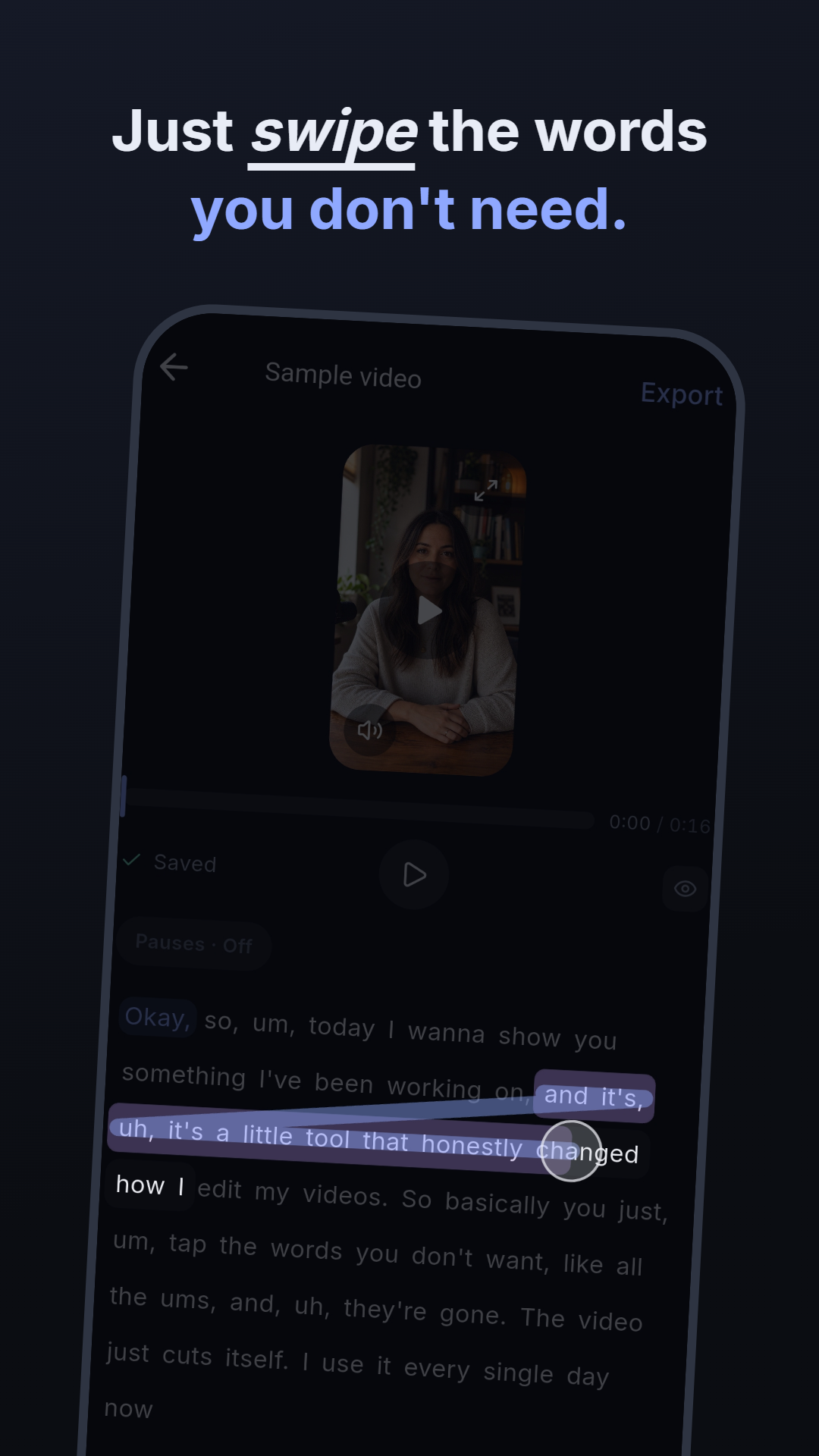
Tap a word, or drag across a sentence you flubbed. slicecut finds the cut point for you, right before the next word. Tap again to bring it back — nothing is rendered until you export.

Okay, so, um, todayuh, I'll show you something— like, real quick — worth posting.
Every pause, gone in one tap.

Set a target length and every silence in the project trims to it at once. Pin the pauses that carry weight, or open a single one and set it by hand on its waveform.

0.0 s1.5 s

target 0.5 s · 14 pauses trimmed

Test 6 hooks in the time one cut used to take.

Record your openings back to back in a single take. In the transcript they are just 6 paragraphs: strike 5, export, strike a different 5, export again. Same footage, 6 versions, a couple of minutes.

  1. 01Stop cutting your talking heads in CapCut.
  2. 0260 seconds. That is a whole edit now.
  3. 03You are scrubbing that timeline for nothing.

Full quality, straight off the phone.

4K in, 4K out. Rendering uses the phone's hardware codecs and untouched stretches are copied bit for bit, so there is no generation loss, no watermark on any plan, and no cloud round trip.

cyan = stream copy · grey = removed

The actual app

Striking a whole sentence out of the transcript with one swipe
Drag across a sentence to strike the whole range.
The pause dial trimming every silence in the project at once
One tap trims every pause in the project.
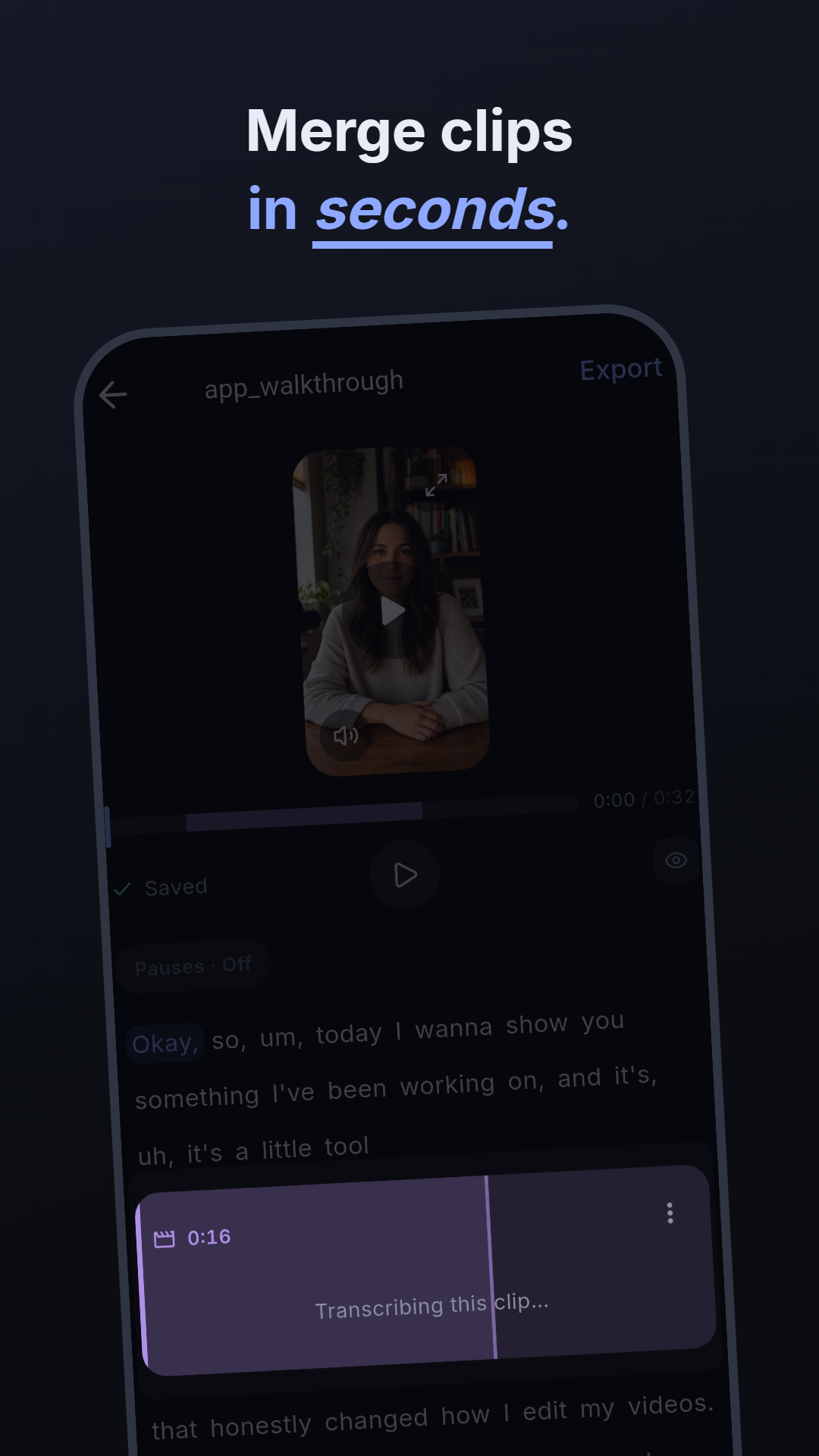
Multiple clips stacked as transcript boxes in one project
Several takes, one transcript, one export.

Why not just use CapCut?

Text-based editing already existed. It just never fit in your pocket.

Timeline editors are built for visual content — clips, transitions, effects. Spoken content is a different job: the thing you want to remove is a word, and a word is far easier to find in a paragraph than in a waveform. Desktop tools worked that out years ago. They also kept you at a desk, uploading footage to the cloud and pulling it back down to make a single cut.

AppCuts by textRuns on your phone
CapCutNoYes
Edits (Meta)NoYes
DescriptYesNo
slicecutYesYes

We looked hard before building this. As far as we can find, no other app does both.

It cannot add filters, effects or subtitles. That is the point.

slicecut does one job: turning a spoken take into a clean cut, fast. Every feature we leave out is a menu you never have to walk past, a setting you never have to undo. Your phone already has an app for the rest — and a clean cut is a much better thing to hand it than raw footage.

Captions are the one exception, and they are being built right now.See the roadmap

Pricing

Free until you are posting a lot.

You pay for minutes of footage you bring in, not for features. The editor and the full-quality export are never taken away from you, on any plan.

Free

€0forever

  • 30 minutes of import a month
  • The whole editor, nothing locked
  • Export at full source quality
  • No watermark, ever

More minutes

from €7.99

For a launch week, a shoot day, or a daily posting habit. Weekly, monthly and yearly, billed through your app store — so cancelling works the way it does for everything else on your phone.

Compare all plans

Good to know

Languages
Transcription handles every language the model supports. Record in whatever you speak.
Clip length
Up to 15 minutes per source video, up to 20 minutes for a finished project.
Several takes
Merge clips into one project and cut them as a single transcript.
Quality
4K in, 4K out. Untouched stretches are copied bit for bit, so there is no generation loss.
What leaves the phone
The extracted audio track only, to servers in Germany. Your video never gets uploaded.
Platforms
iPhone and Android. Mobile only on purpose — no desktop app to open, no cloud round trip.

From the blog

Notes on cutting video like text.

All articles →

Talk. Swipe. Post.

Cut your next video by swiping words out of its transcript. Free to start, full quality and no watermark on every plan.